
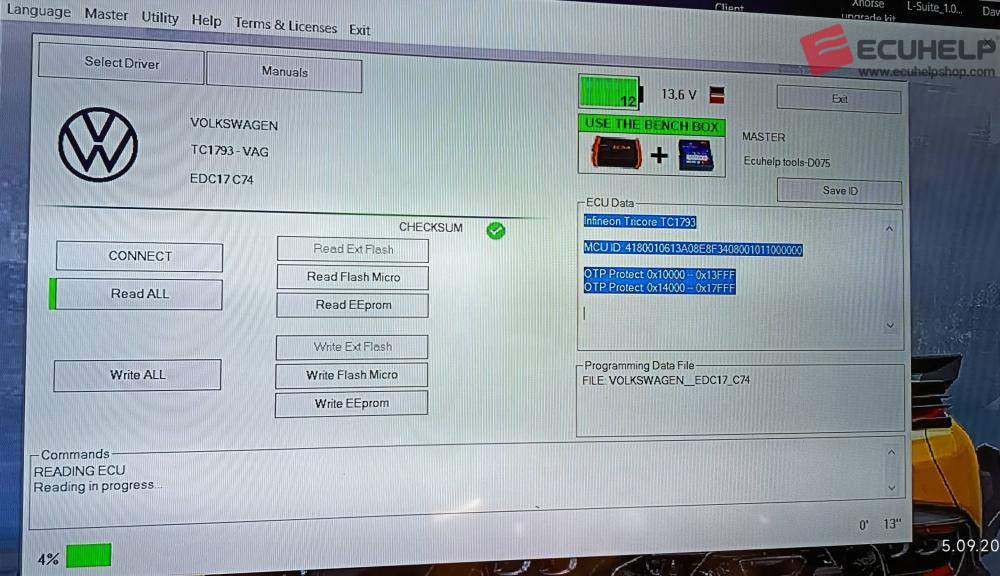
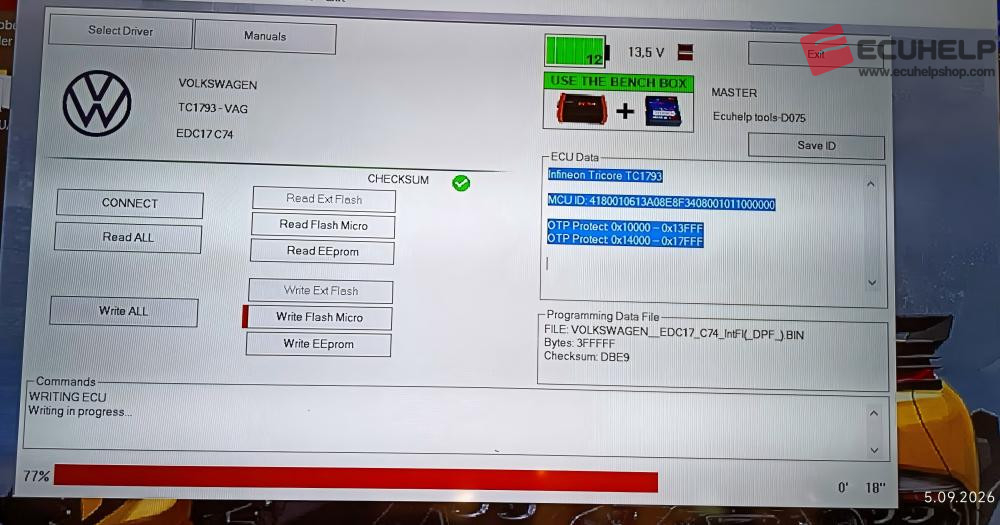
ECUHELP KT200II ECU Programmer has been successfully tested on a 2014 Volkswagen vehicle equipped with an EDC17C74 ECU. It can read and write the ECU in Bench mode and perform checksum correction successfully.
Follow the steps below for the connection and operation procedure.
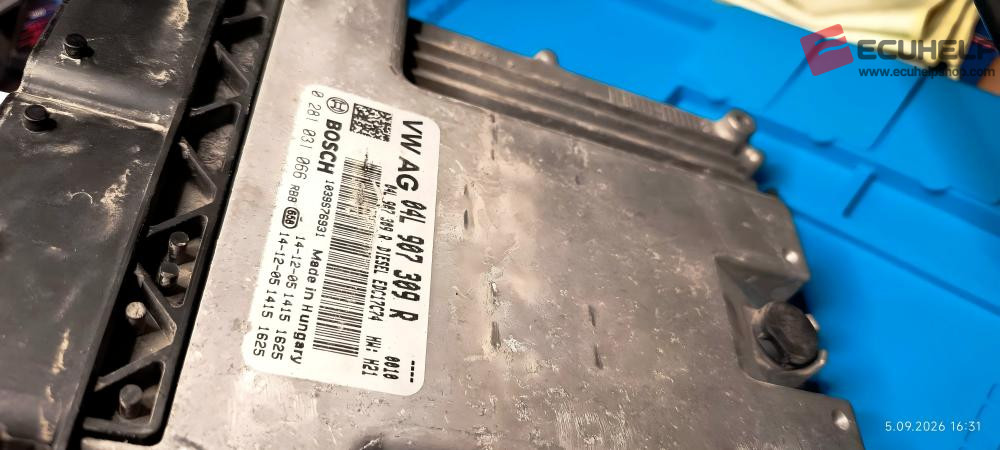
First, take a look at the ECU appearance of the VW EDC17C74:
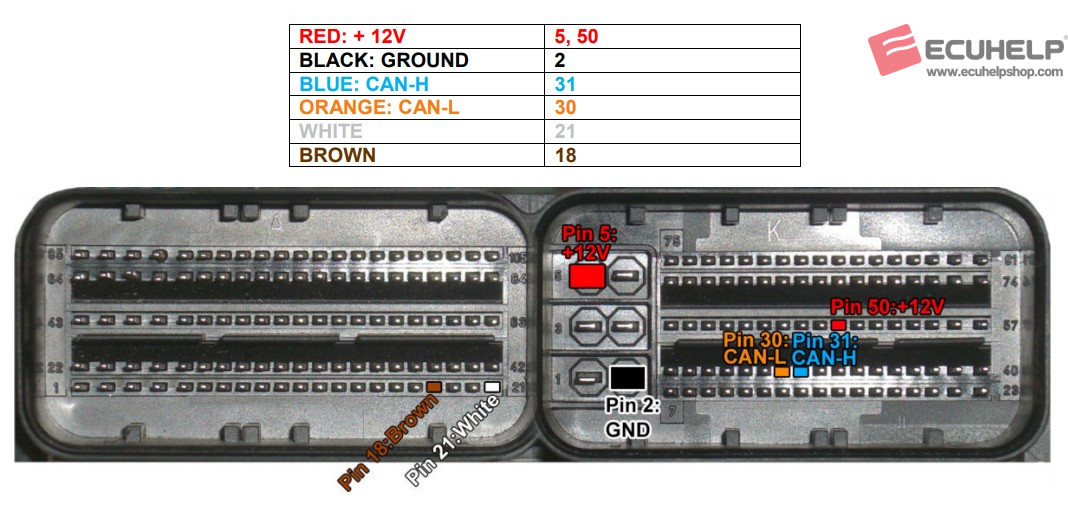
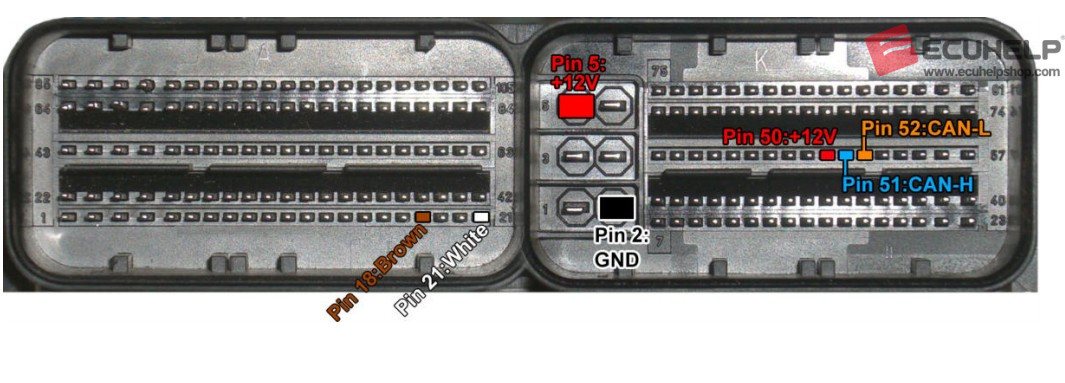
Follow the wiring diagram below to connect the ECU to the KT200II ECU Programmer using the multifunction cable.
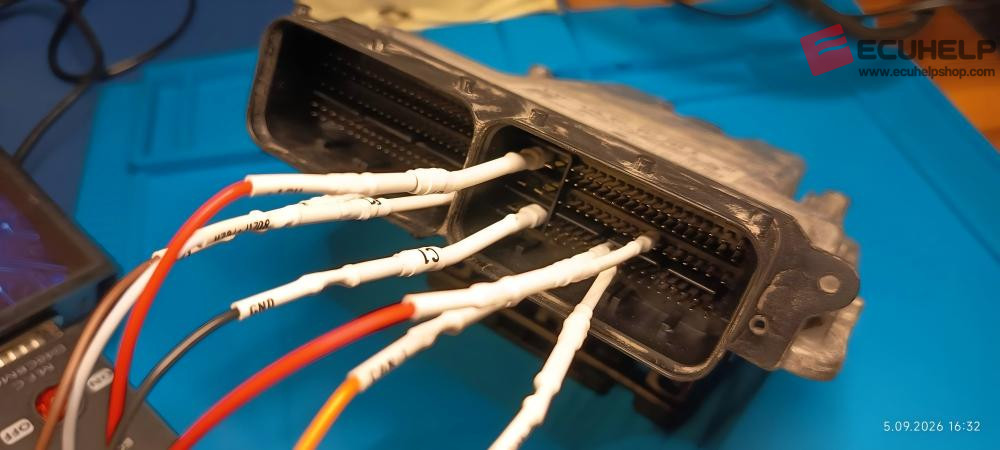
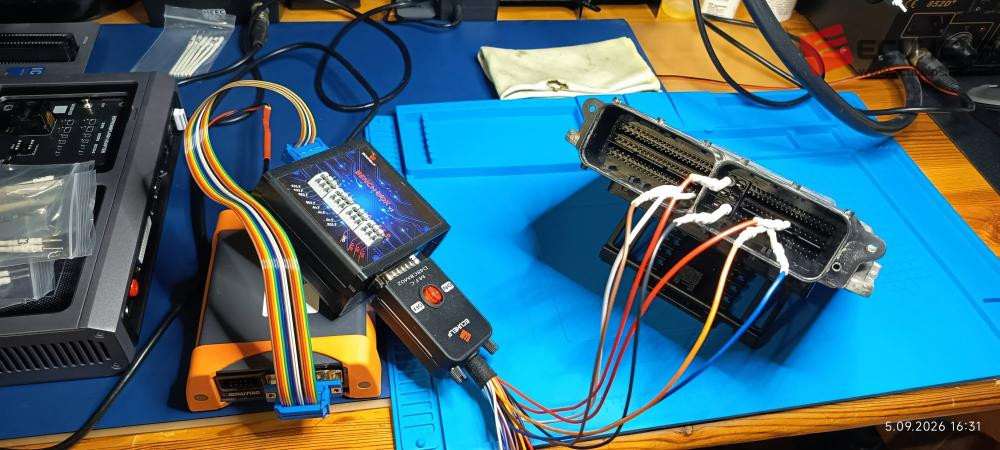
Open the KT200II software and select the following driver to read and write the ECU:
→ BENCH TRICORE
→ VOLKSWAGEN / AUDI / SEAT / SKODA
→ TC1793 – VAG
→ EDC17 C74
Attention:
On some EDC17C74 the CAN line is shifted. If with the previous pinout doesn’t enter in bench tricore mode, then try again by connecting it as follows:
Conclusion
The ECUHELP KT200II successfully reads and writes the 2014 VW EDC17C74 ECU in Bench mode, with checksum correction working properly.
For some EDC17C74 versions, an alternative CAN line connection may be required to establish communication.